Xbox Developer Direct 2024
Partnered with AKQA DC motion team to create the motion graphics package for the annual livestream event produced by Microsoft Gaming to showcase upcoming titles from five game studios.
Assigned Tasks:
1. Create Interstitials for intro video
2. Opening to the Main Hub that showcase the studios
3. End card with release date and micro animation for each game
4. Thank you for watching screen
5. Sound design for the Main Hub, transitions, and end cards
Role: Motion Graphics Lead
Design Challenge
With the flow had been setup as blow:

I had to create a flexible template that can quickly and easily to swap the graphic elements for all five studios during the process of production.
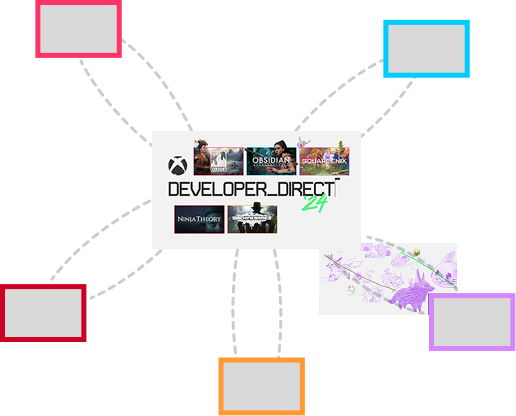
Paths of the Camera
The concept illustrations of the game revealed when the camera travels through.
Solution
With the event flow in mind, we designed a large canvas with a main hub positioned at the center, featuring all game titles and developers. The camera begins at this central hub, then moves outward to a specific studio thumbnail. It then travels into the thumbnail and transitions into footage of the game studio.
After showcasing the developer’s video segment, the sequence concludes with a game release information card. The camera then zooms back out to the canvas and returns to the central hub. This sequence repeats five times.
To prevent the experience from feeling repetitive, we introduced a special guest segment that breaks the pattern, adding variety and making the overall animation more dynamic and engaging.
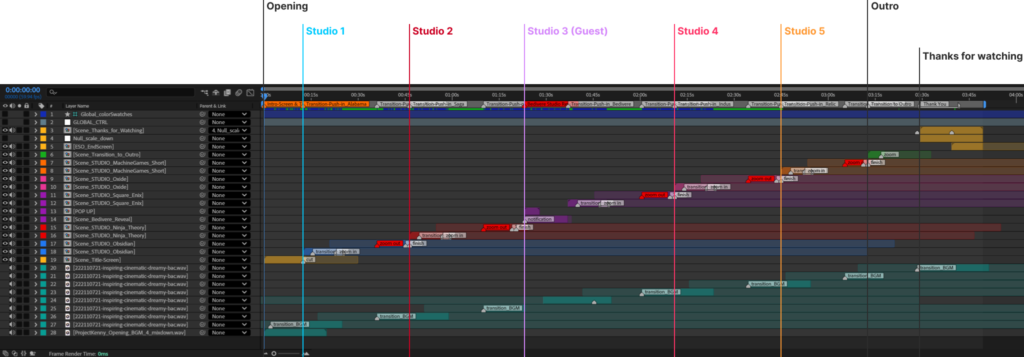
Modular Composition Setup
With the initial module setup, the pre-comp can be repurposed for other game developer studios.
Special Guest Animation
Added variety with special guest animation to introduce Square Enix
Micro Animation
Micro-animations were added to the thumbnails on the main hub to keep all elements in motion and visually engaging. The background of the game release end card is also subtly animated, adding nuance and depth.
Thanks for watching
Another surprising game release information showing after the online event.
What I learned after the project
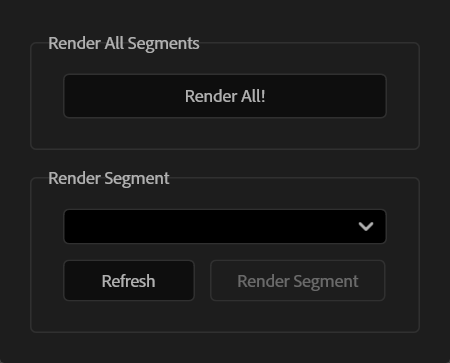
For final delivery to the editing house, I needed to export seven segments as individual files. Manually setting output ranges for each was time-consuming, either requiring one-by-one renders or additional render comps that would add complexity.
To solve this, I used AI to build a custom script that renders all outputs in one click based on marked ranges in the main comp.